

Crystal Reports Barcode Integration FAQ
Answers to common questions about barcodes in Crystal Reports.
Common questions
Crystal Reports does not include barcode engines for the symbology math out of the box. It relies on external add-ons, font systems or native formula objects.
- Crystal Reports 9 through current editions are supported
- Zoom the designer to 300% or 400% to inspect module alignment
- Use Running Total fields for sequential labels
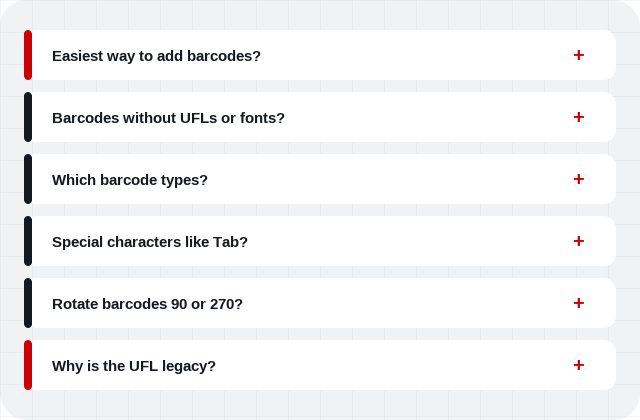
Frequently asked questions
What's the easiest way to add barcodes to a Crystal Report?
The simplest method is using the Native Barcode Generator from IDAutomation. It embeds directly into the report and does not require fonts or external components. Alternatively, use barcode fonts with Crystal Font Formulas, which requires installing the font on each system generating barcode symbols.
How do I get barcodes working without UFLs or local printer fonts?
The Native Crystal Reports Generator uses patented technology as a formula, so the calculation and layout routines run inside Crystal's formula engine. No User Function Libraries need to be registered and no fonts installed on client workstations or web servers.
What barcode types can I generate?
Linear barcodes (Code 128, Code 39, UPC, EAN and ITF) and 2D barcodes (Aztec, Data Matrix, PDF417 and QR Code).
How do I encode special characters like Tabs or Returns?
Use the ApplyTilde feature and represent them as ~d009 for a tab and ~d013 for a return.
Can I rotate barcodes to 90 or 270 degrees?
Yes. Change the text rotation of the field in Format Field under the Common tab. It works with fonts and the Native Generator.
What if my barcode is truncated in the viewer?
The field box is probably too small or Can Grow is not enabled. Set horizontal alignment to Left, make the field wide enough for the longest data string and keep the quiet zone.
Why is the Native Generator preferred over the legacy UFL?
It is a plug-and-play formula inside the report with zero external dependencies. The legacy UFL requires manual DLL registration and often fails in 64-bit environments. Use Font Formulas when using a font, or the Native Crystal Reports Generator.
How do I resolve 64-bit problems on a web server?
The legacy UFL is 32-bit while modern servers run 64-bit. Switch to the Native Generator or a barcode font with Font Encoder Formulas.
How do I fix the "A string is required" error?
Barcode encoders require strings. Wrap the data, for example ToText({Orders.ID}, 0) or cStr({Orders.Date}).
How do I hide a barcode when the field is empty?
Use conditional suppression: in Format Object, Common tab, add a Suppress formula such as IsNull({Table.Field}) or {Table.Field} = "".
Does the native QR Code formula support GS1?
Yes. Enable ProcessTilde and pass Application Identifiers in the data string. Use ~202 for FNC1 in Code 128 and ~1 in Data Matrix or QR Code.
Can I calculate MOD 10 and MOD 43 check digits?
Yes. With ApplyTilde enabled, append ~m?? for MOD 10 or ~f for MOD 43 and the formula inserts the check digit.
Will barcodes pixelate in PDF?
No. The native formulas draw clean vector shapes, so exported PDF barcodes stay crisp at any zoom.
Can I add a logo to a QR Code?
Yes. See the QR Code with Logo implementation, which streams an Enhanced QR Code image into the report.
Can I stream barcodes where I cannot install fonts?
Yes. Use the Dynamic Barcode Generator web service by setting the Graphic Location of an image to stream real-time barcode graphics.
Still need help?
Visit IDAutomation integration support for Crystal Reports.