

Native Barcode Generator for Crystal Reports
Generate barcodes in Crystal Reports without fonts or other components such as UFLs.
All-in-one, embedded in the report
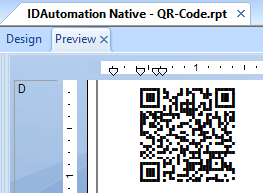
The generator inserts into a Crystal Report to create barcode images. It remains embedded in the report, so reports can be redistributed with their barcode objects.
- No extra fonts, UFLs or plug-ins are required
- Creates barcodes in distributable PDF documents without embedding fonts
- Usable in several applications and development environments, including Visual Studio and Sage X3
- Advanced support for GS1, ISBT, Swiss QR Bill, TLV, Base64 and HIBC, with tilde options
- Complete source code is provided with purchase
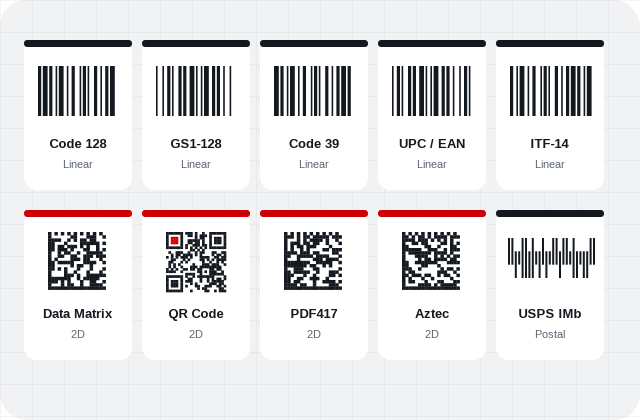
Linear and 2D symbologies
Each barcode type is a separate report file you copy into your own report. QR Code supports UTF-8 encoding, Auto Mode, TLV Base64, Swiss QR Bill, Center Override and GS1 QR Code; Data Matrix supports auto-encoding, GS1 and UTF-8; Aztec and PDF417 support UTF-8.
- Code 39, Code 93, Codabar, Code 128 Auto, Code 128 A/B/C, GS1 DataBar, Interleaved 2 of 5 and MSI
- Aztec, Data Matrix, PDF417 and QR Code
- USPS Intelligent Mail barcode and Postnet reports
- Verify GS1, ASCII and UTF-8 encoding with the Barcode Decoder Verification App (opens in a new tab)
Frequently asked questions
Do I need to install fonts or UFLs?
No. The Native Crystal Reports Generator uses patented technology as a formula and does not require special fonts, UFLs or plug-ins. Anyone who opens the report, label or template can generate and display barcodes.
Which barcodes can I generate?
Linear (Code 128, Code 39, UPC, EAN and ITF) and 2D barcodes (Aztec, Data Matrix, PDF417 and QR Code). Each type has its own report with specific encoding formulas.
Does it work with PDF export?
Yes. It creates barcodes in distributable PDF documents without embedding fonts.
Which Crystal Reports versions are supported?
Crystal Reports 9 and up.
Do I need a license to distribute reports?
A developer license is needed to build or alter the reports. Complete source code is provided with purchase. See IDAutomation for license details.
Open the generator tutorial
Copy the object, paste it into your report and edit one formula line.