

Swiss QR Bill in Crystal Reports
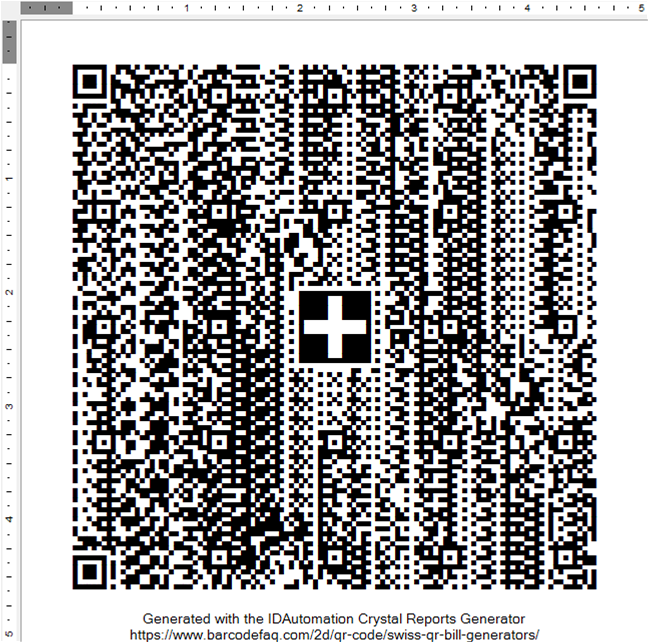
Create a Swiss QR Bill with the Swiss cross using Center Override.
Settings for the Swiss QR Bill
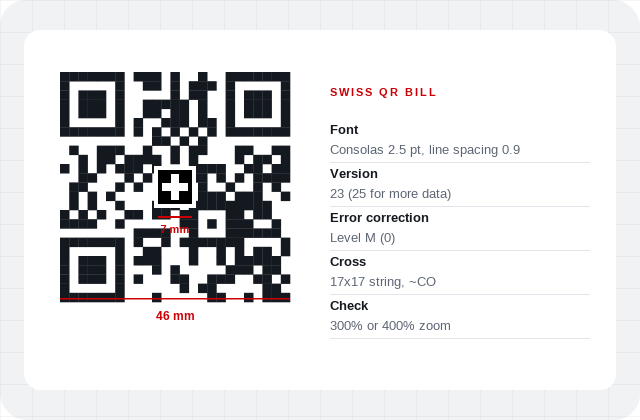
The QR Bill spec calls for a 46x46 mm symbol with a 7x7 mm cross in the center.
- Set the object font to Consolas at 2.5 pt, with line spacing at 0.9 times normal
- Set the error correction level to 0 (M) and the version to 23
- Use the 17x17 QR Bill Swiss Cross string
- Zoom to 300% or 400% to check sizes with Crystal's ruler; printed or PDF output is the accurate measure
- For more data use version 25 at 2 pt, or install the IDAutomation 2D S font (opens in a new tab) and use 4.5 pt
Formula sample
The Swiss data string and the hex cross string are shortened here; use the full values from the IDAutomation example (opens in a new tab). Static data goes in quotes and line feeds use &Chr(10)&.
Dim Swiss_QR_Data as String
Swiss_QR_Data = "SPC"&Chr(10)&"0200"&Chr(10)&"1"&Chr(10)&"CH7122334455667788991"&Chr(10)&"S"&...&Chr(10)&"EPD"&Chr(10)
'Add the 17x17 Swiss Cross in the center
DataToEncode = Swiss_QR_Data & "~COHH,0000007FFF007E3F007E3F...00000000"
' Optional parameters;
ProcessTilde = 1
EncodingModes = 0
ErrorCorrectionLevels = 0
Version = 23
NewLineCharacter = Chr(13) & Chr(10)
UTF8 = 1Frequently asked questions
What is the Swiss QR Bill?
A Swiss standard payment specification based on ISO 20022, identified by a Swiss Cross in the center of a QR Code symbol.
What size is required?
The specification calls for a 46 x 46 mm symbol with a 7 x 7 mm cross in the center. Version 2020 or later supports this through Center Override.
How are fields separated?
Fields are separated by the LF (line feed) character, inserted in Crystal syntax with Chr(10) joined by &.
Which version should I use?
Set the version to 23. For more data use version 25 and reduce the point size to 2 pt.
Verify the symbol
Scan with the Data Decoder App to confirm it matches version 23.